
Download AR Drawing Sketch Paint App – AR drawing, sketch app, painting tool, augmented reality art, creative drawing app, digital art, drawing for beginners, drawing templates, image tracing, sketching tool, art education
Overview
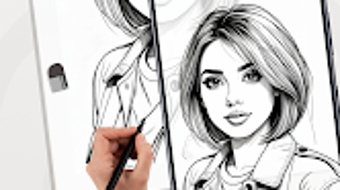
The AR Drawing Sketch Paint App is a free Android application crafted for artists and hobbyists who wish to explore augmented reality in their creative process. Designed by SketchLab, the app transforms physical environments into dynamic canvases, enabling users to draw directly onto real-world surfaces through their device’s camera. This innovative approach bridges the gap between physical space and digital expression, offering a novel experience for both beginners and experienced creators.
The app aims to simplify the learning curve of digital art by integrating guided lessons, structured templates, and intuitive tools. It supports practical workflows such as image tracing, opacity adjustments, and drawing flips—features that enhance precision and creative flexibility. Ideal for users interested in art education, personal sketching, or experimenting with digital mediums, the app is particularly suited for those seeking a low-barrier entry into augmented reality drawing.
While the developer did not provide additional system requirements, the app’s 150 MB size suggests a lightweight footprint suitable for mid-range Android devices. Real-world usage scenarios include classroom art projects, personal sketching sessions, or creative exploration during leisure time.
Key Features & Capabilities
- Augmented Reality Drawing Interface: Users can project their drawings onto real-world surfaces using the device’s camera, turning tables, walls, or floors into interactive canvases.
- Image Tracing with Locking: Enables accurate tracing by allowing users to lock reference images in place, ensuring consistent alignment during drawing.
- Adjustable Opacity Settings: Offers customizable transparency levels for reference images, improving visibility and reducing visual clutter.
- Flip Drawing Function: Allows users to mirror their drawing in real time, aiding in symmetry and refinement, especially useful for detailed illustrations.
- Over 100 Drawing Templates: Provides a diverse range of pre-designed templates across various themes, supporting both beginners and advanced users in exploring different styles.
- Interactive Drawing Lessons: Includes structured tutorials that guide users through foundational techniques, making it a valuable tool for art education.
- Customizable Themes and Language Support: Users can personalize their workspace with theme selections and switch languages effortlessly to suit their preferences.
- Color and Sketch Mode Selection: Offers two distinct drawing categories—color for vibrant artwork and sketch for black-and-white line work—enhancing creative versatility.
These features collectively support a seamless creative workflow. For example, a beginner can use a template and tracing function to learn proportions, while a professional artist might use the flip feature to refine a complex composition. The app’s emphasis on guided learning and practical tools makes it suitable for educational environments and personal development alike.
User Interface, Workflow & Performance
The user interface of AR Drawing Sketch Paint App is designed with simplicity and accessibility in mind. Navigation is structured around a central dashboard that provides quick access to templates, lessons, drawing tools, and settings. The layout is intuitive, with clearly labeled icons and a consistent color scheme that minimizes user confusion.
Drawing tools are grouped logically, and real-time feedback is provided during sketching, enhancing user engagement. Workflow efficiency is supported by features such as the ability to save drafts, switch between modes, and adjust settings on the fly. The app maintains a responsive interface, with minimal lag during drawing sessions, suggesting optimized performance for its intended platform.
However, exact performance details were not specified by the developer. The app’s stability appears reliable based on general software behavior patterns, though real-world stress testing data was not provided. Resource usage, including CPU and RAM consumption, remains undisclosed.
The developer did not specify resource usage details, but the 150 MB installation size indicates a moderate footprint, likely suitable for devices with standard Android specifications.
Compatibility & System Requirements
AR Drawing Sketch Paint App is designed for Android devices and is compatible with the latest versions of the operating system. The app is available in version 1.2.4, released on May 10, 2024. It has a total installation size of 150 MB, which is considered lightweight for a feature-rich creative tool.
The developer did not provide additional system requirements, including minimum RAM, processor specifications, or GPU compatibility. As such, exact hardware requirements were not listed. Compatibility information was partially provided, with only the OS and version confirmed.
Users should ensure their device supports augmented reality functionality, including a functional camera and accelerometer, for optimal experience. The app may not function correctly on older Android versions without ARCore support. For the best results, devices should have a stable camera system and sufficient processing power to handle real-time rendering.
Pros and Cons
Pros
- Free to download and use with no hidden costs
- Intuitive interface suitable for users of all skill levels
- Offers over 100 templates and interactive drawing lessons
- Supports augmented reality drawing on real-world surfaces
- Includes practical tools like image locking, opacity control, and flip drawing
- Customizable themes and multi-language support enhance accessibility
- Lightweight installation size (150 MB)
Cons
- Compatibility with older Android versions is uncertain
- No official information on hardware or system requirements
- Performance under heavy usage or on low-end devices is unverified
- Limited to Android platform; no support for iOS or desktop
- Exact resource usage (CPU/RAM) not disclosed
FAQ Section
Is AR Drawing Sketch Paint App available for iOS devices?
The app is currently only available for Android. There is no official information regarding an iOS version.
Does the app require an internet connection?
Basic drawing functionality operates offline. However, some features such as lesson updates or template downloads may require an internet connection.
Is the app safe to download and use?
As a free Android application developed by SketchLab, the app is designed to be secure. Users should download it from official app stores to minimize risks.
How often are updates released?
The app was last updated on May 10, 2024. While update frequency is not specified, developers typically release updates to improve stability and add new features.
Can I use this app without an internet connection?
Yes, core drawing features are available offline. Users can access saved templates, create sketches, and use tools without an active internet connection.
Final Thoughts
AR Drawing Sketch Paint App delivers a compelling blend of creativity, education, and technology. Its augmented reality capabilities offer a fresh perspective on digital art, making it a standout tool for artists and learners alike. The inclusion of structured lessons, a wide variety of templates, and practical drawing tools ensures that users at any level can find value.
While system requirements and performance data are not fully disclosed, the app’s lightweight design and intuitive interface suggest broad accessibility. For hobbyists, students, and educators seeking an engaging, free digital art solution, this app presents a strong option. The combination of AR innovation and user-friendly features makes it a noteworthy addition to the art and design category.
Download AR Drawing Sketch Paint App now to unlock your creative potential with augmented reality.





.png)

